Collection
Your prints, in albums you keep
Group the photos you finish in VNTG into albums, keep your favorites one tap away, and find every shot from each camera in one place.
4.7 from 39,000+ ratings on the App Store
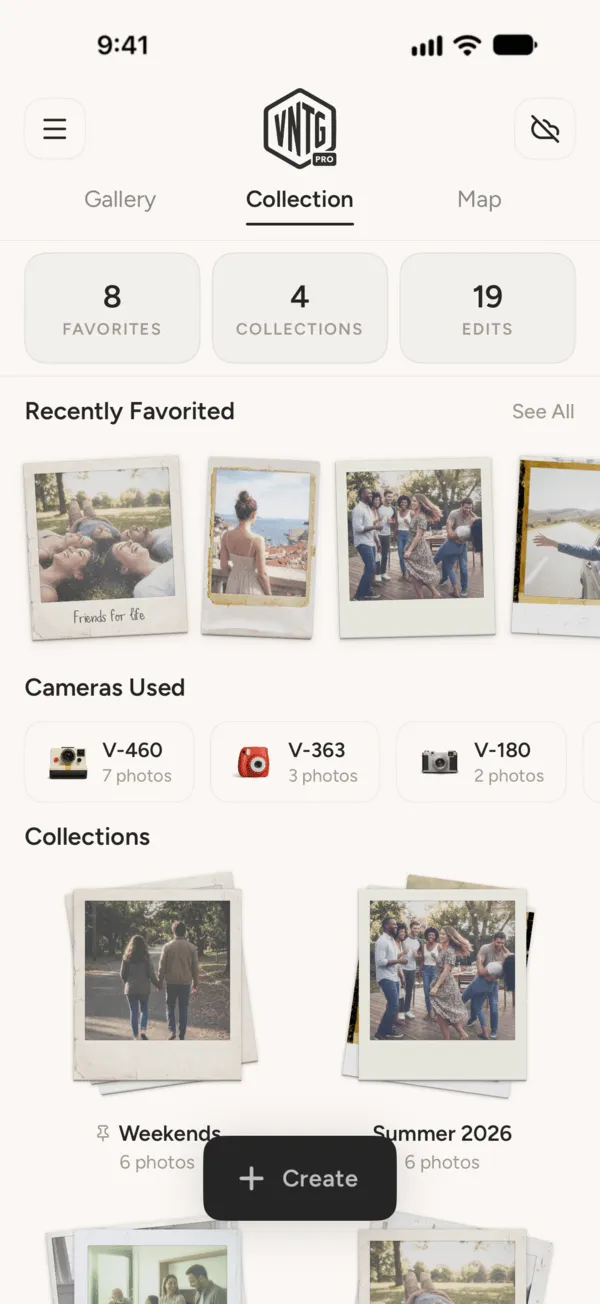
Three ways to find a print again
All on the Collection tab, next to your gallery and your map.
-
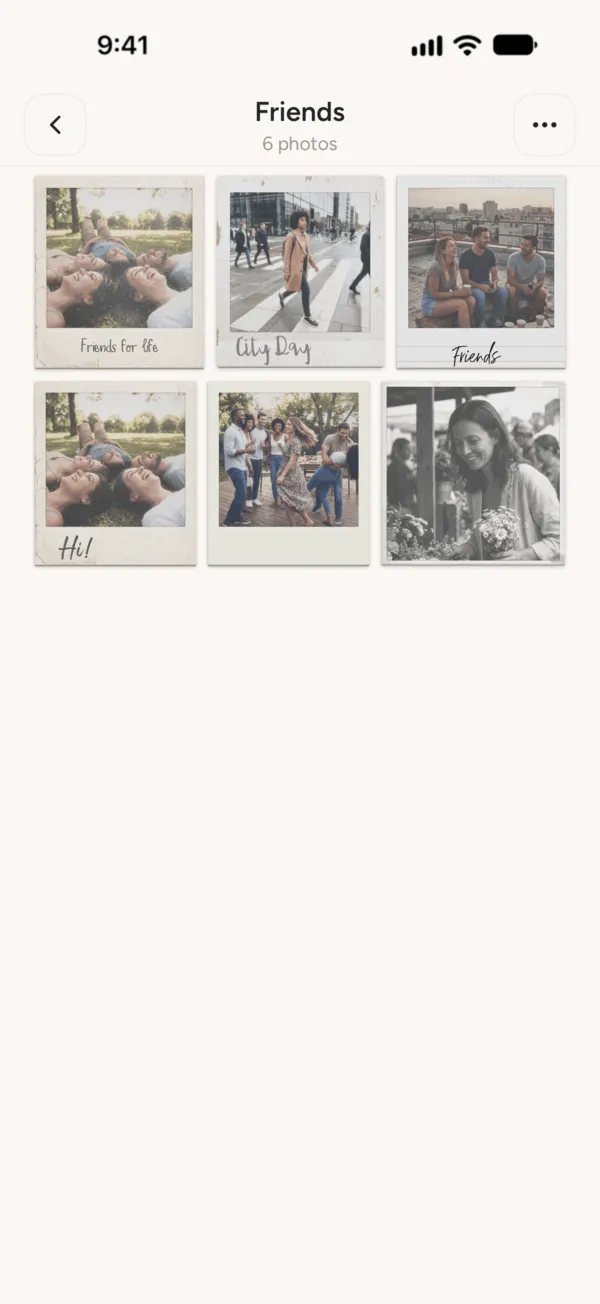
Albums you make
Weekends, Friends, Summer 2026: put the prints together that belong together, and pin the one you open most.
-
Your favorites
Tap the heart on any print and it shows up in Recently Favorited, one swipe away.
-
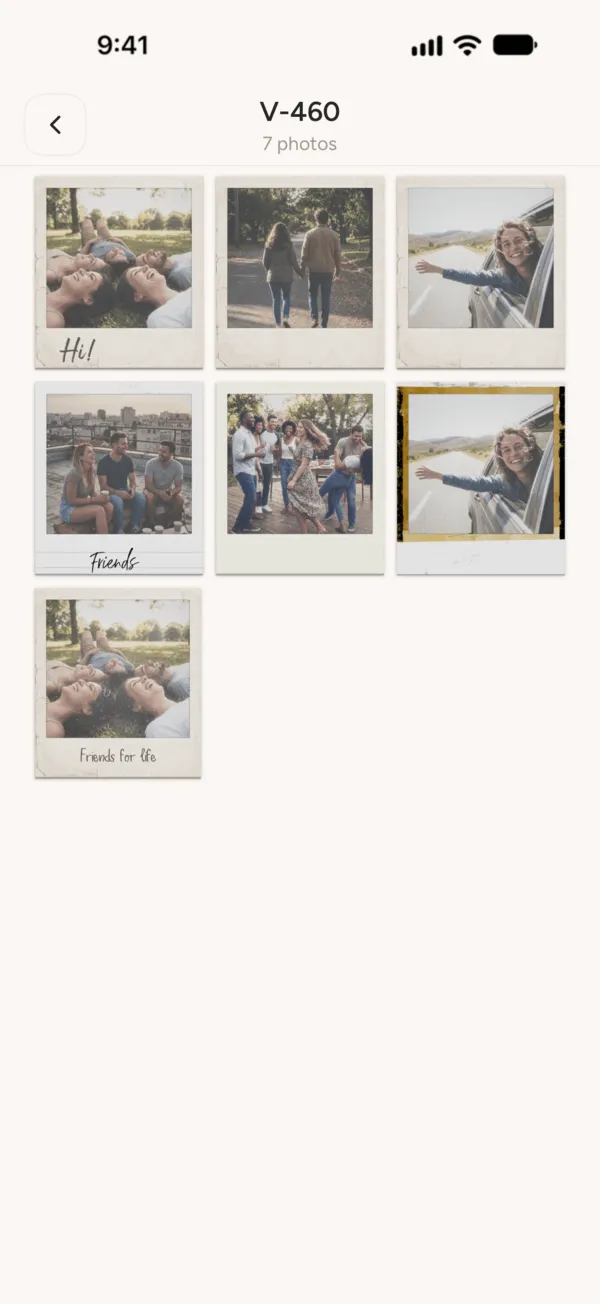
Every camera you use
VNTG groups your prints by camera on its own, so every V-460 shot sits together.
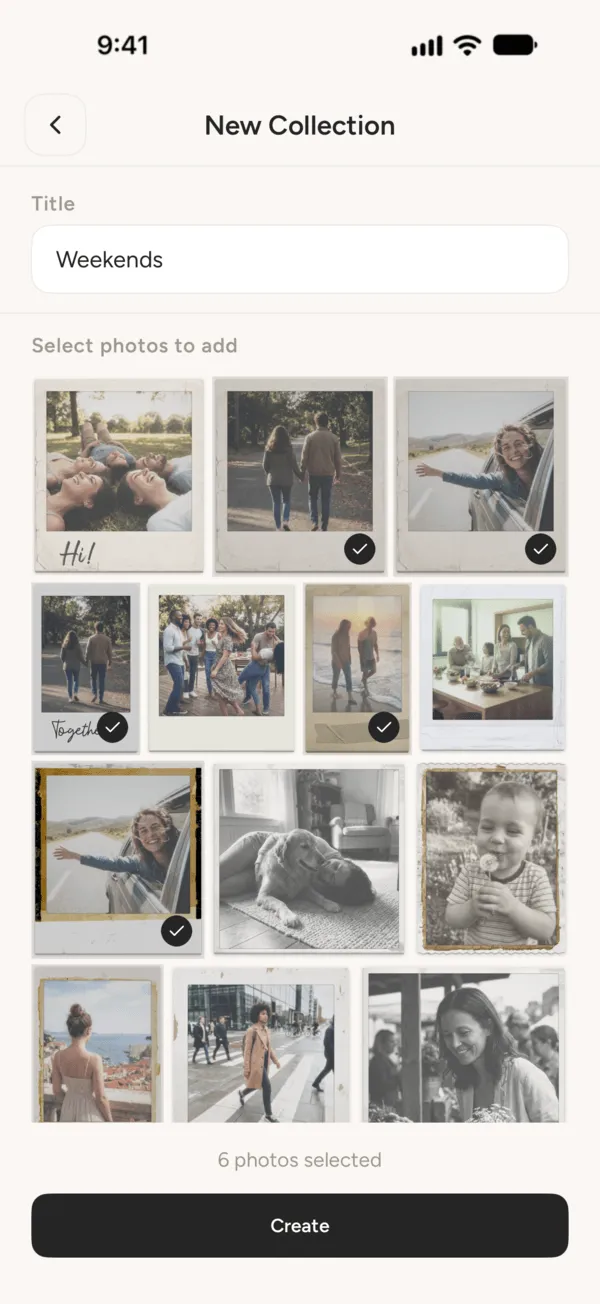
An album in three taps
- 1
Tap Create, then Collection
Right from the VNTG gallery.
- 2
Name it and pick your prints
Choose as many as you like from the photos you have finished in VNTG.
- 3
Tap Create
Your album opens. Add photos, rename it or pin it on top whenever you like.
iPhone Duo
On iPhone Duo, it opens like a book
Open the phone and your prints sit in a real photo album, on the big inner display.
VNTG on iPhone Duo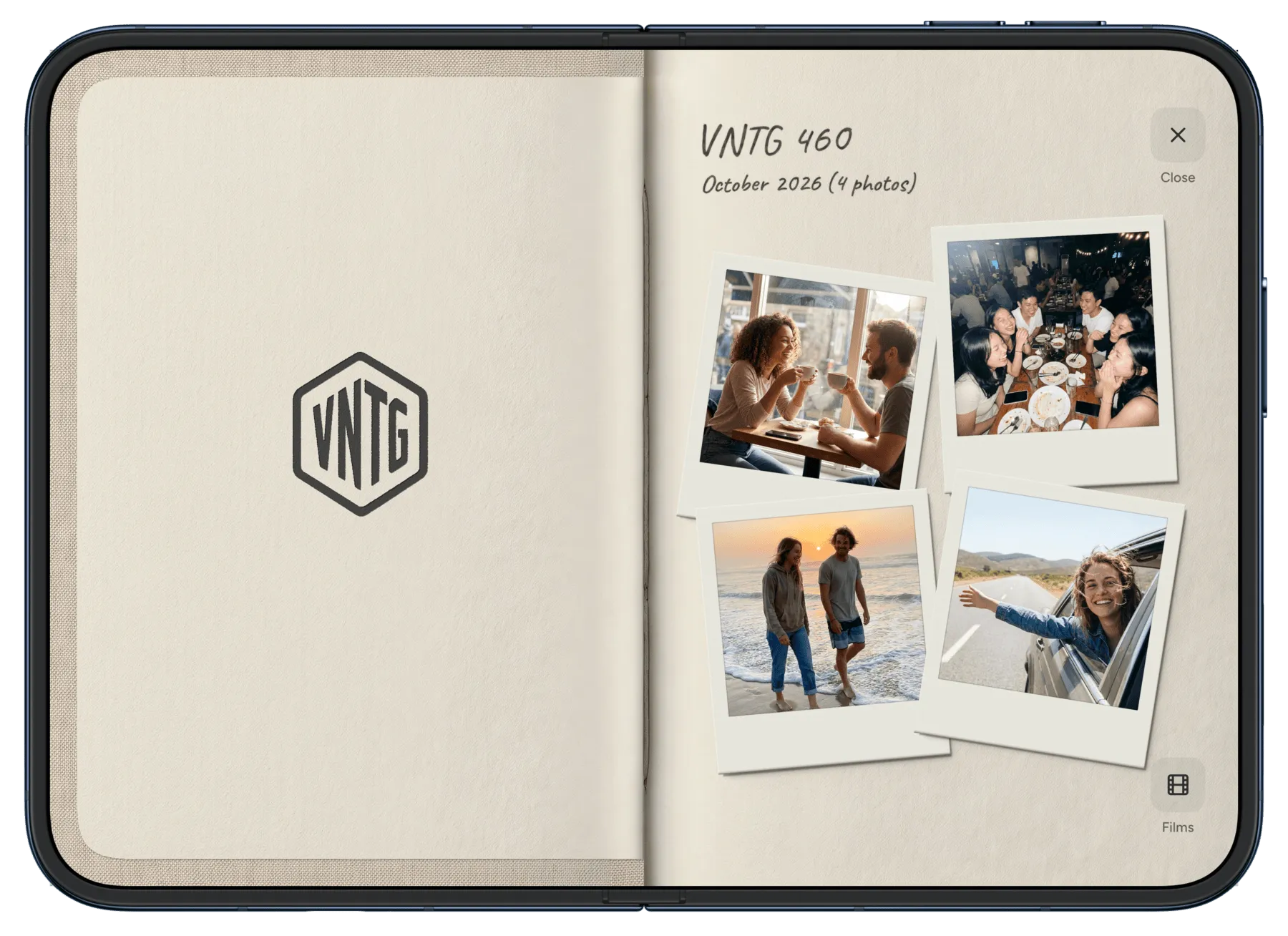
Your prints also land on the photo map, where you took them. New to VNTG? Start with the Studio tutorial.
Questions
What people ask about albums in VNTG.
Are albums free in VNTG?
Yes. Collections, favorites and the camera groups are all free.
Are my albums private?
Yes. Your collections live in your VNTG app and only you can see them.
If I take a photo out of an album, is it deleted?
No. You choose: remove it from the album and it stays in your gallery, or delete it for good.
Can I see my albums on my iPad too?
With VNTG PRO, your photos, edits and collections sync across iPhone and iPad through iCloud.
Can I edit a photo from an album?
Yes. Open any print in an album to edit it again, share it or add it to your favorites.
 Free on iPhone
Every print, in its album.
VNTG is free to download, and collections come with it.

4.7 from 39,000+ ratings